Introduction





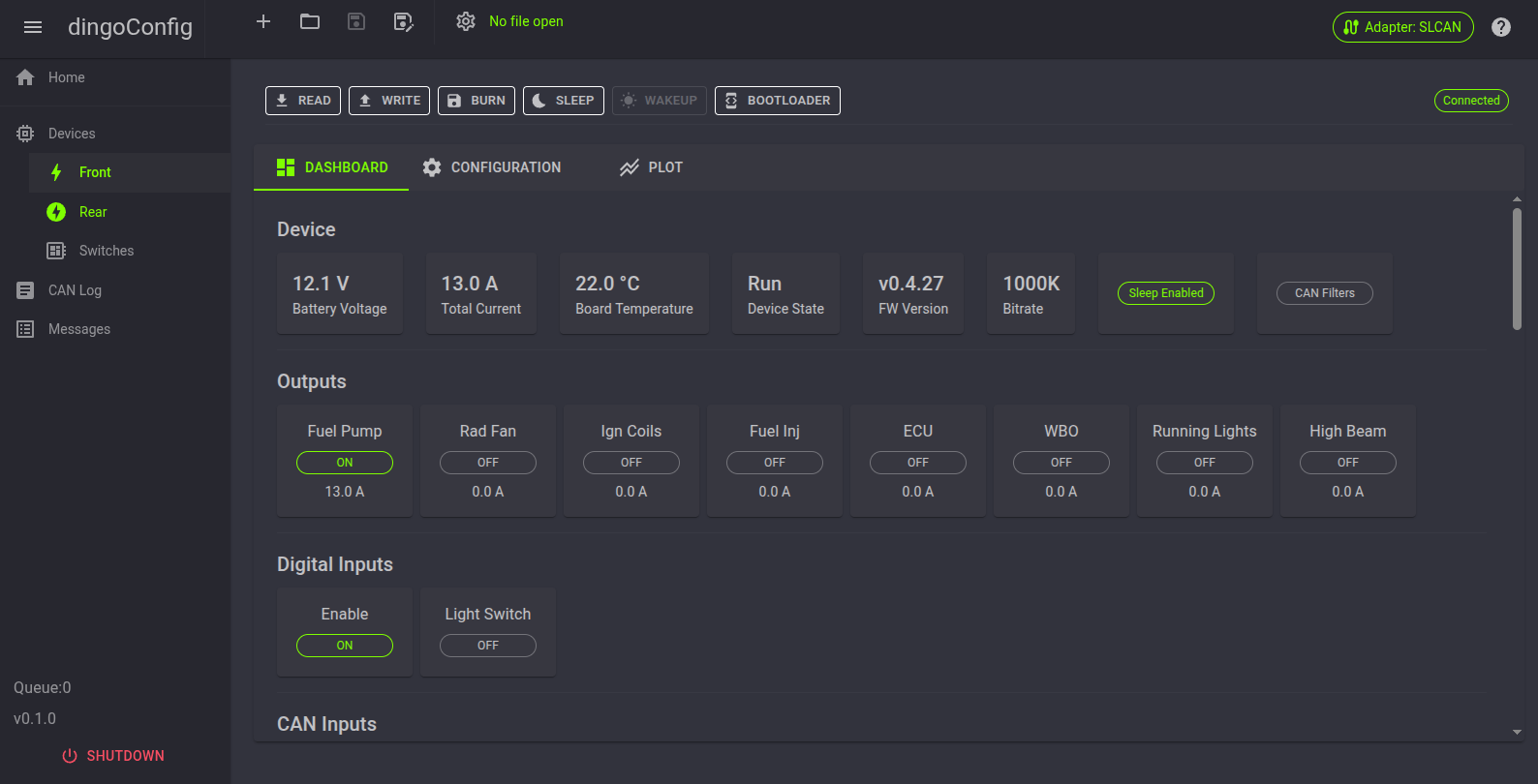
dingoConfig is a cross-platform application to configure and monitor dingoElectronics devices and other CAN devices.
It runs on Windows, Linux and macOS. The app runs a small local web server and the UI opens in your web browser.
Note
dingoConfig replaces DingoConfigurator, which is no longer supported. dingoConfig requires dingoFW v0.5.1 or later.
Download
The latest version can be downloaded here: dingoConfig Releases
Download the .zip for your system:
| System | File |
|---|---|
| Windows | dingoConfig-X.X.X-win-x64.zip |
| Windows on ARM | dingoConfig-X.X.X-win-arm64.zip |
| Linux | dingoConfig-X.X.X-linux-x64.zip |
| Linux ARM (Raspberry Pi) | dingoConfig-X.X.X-linux-arm64.zip or linux-arm32 |
| macOS (Apple Silicon) | dingoConfig-X.X.X-osx-arm64.zip |
| macOS (Intel) | dingoConfig-X.X.X-osx-x64.zip |
Installation
No install is needed, .NET is included in the download.
- Unzip the download
- Run
dingoConfig(dingoConfig.exeon Windows) - Your web browser opens to
http://localhost:5000
If the browser doesn't open, open http://localhost:5000 manually. If dingoConfig is already running, the browser opens to the running copy.
To close dingoConfig, press Shutdown at the bottom of the menu.
Linux
- Make the file executable:
chmod +x dingoConfig - To use USB or SLCAN serial ports, add your user to the
dialoutgroup:sudo usermod -aG dialout $USER, then log out and back in
Firmware updates
STM32CubeProgrammer is needed to update firmware. It is not needed to run dingoConfig.
Quick Start
- Connect the device with USB, or connect a CAN adapter to the CAN bus
- Press the
Adapterbutton in the top right, select the adapter, port and bitrate, and connect - Go to
Devicesand add a device with the device's Base ID - Open the device page, the device shows
Connectedwhen its messages are received - Press
Readto read the configuration from the device - Change settings on the
Configurationtab - Press
Writeto send the changes, thenBurnto save them on the device - Save a config file
Supported Devices
| Manufacturer | Device |
|---|---|
| dingoElectronics | dingoPDM |
| dingoElectronics | dingoPDM-Max |
| dingoElectronics | CANBoard |
| Blink Marine | CANopen keypads |
| Grayhill | CANopen keypads |
| Any | DBC Device, any device with a DBC file |
Supported CAN Interfaces
| Manufacturer | Interface |
|---|---|
| dingoElectronics | dingoPDM / dingoPDM-Max USB, also works as a USB to CAN adapter for the whole bus |
| Any | SLCAN serial adapters (CANable, USB2CAN, etc.) |
| Any | SocketCAN (Linux only) |
| PEAK-System | PCAN-USB |
See Adapters
Technology
dingoConfig is built using:
| Name | Function |
|---|---|
| C# .NET | Backend |
| Blazor Server | Frontend / UI |
| MudBlazor | UI Objects and Theme |
| uPlot | Plots |
Contributing
See CONTRIBUTING.md and the dingoConfig repo.